01
Keep every connection ready.
Save connection profiles with your host, protocol, character set, terminal size, and TLS settings. Open each connection in its own window.
Connection profiles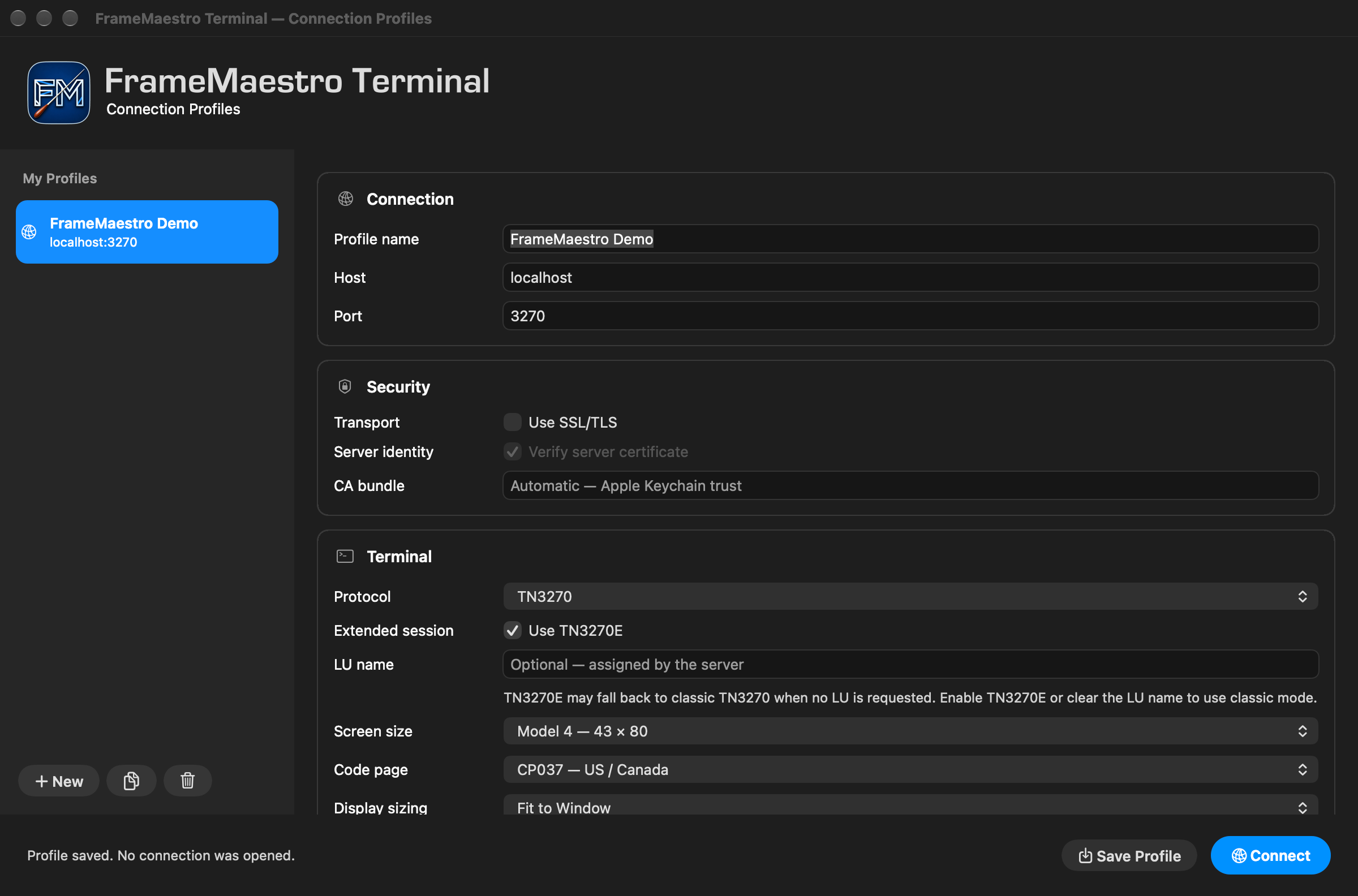
THE HOST. IN YOUR HANDS.
Meet FrameMaestro Terminal: a native Mac workspace for your 3270 connections. Thoughtful controls, precise keyboard mapping, and the tools to keep your work close.
Free to download for macOS.
macOS 14 or later · Apple Silicon & Intel
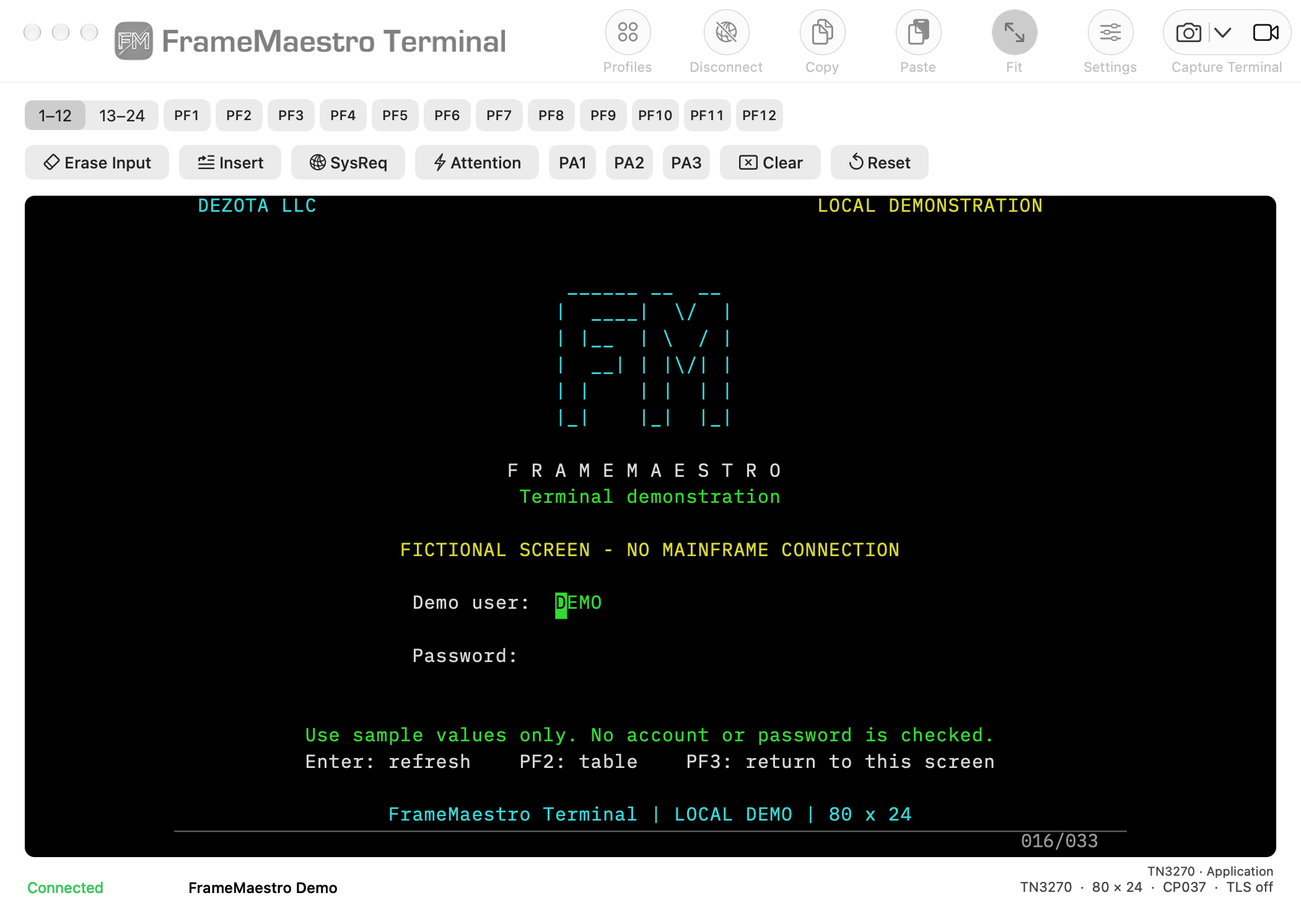
BUILT AROUND YOUR SESSION
Connect to your host, make the screen your own, and keep a clear record of what matters.
Save connection profiles with your host, protocol, character set, terminal size, and TLS settings. Open each connection in its own window.
Connection profilesLook up host keys, assign your preferred shortcuts, and adjust fonts, colors, and screen sizing to suit the way you work.
Keyboard and host keys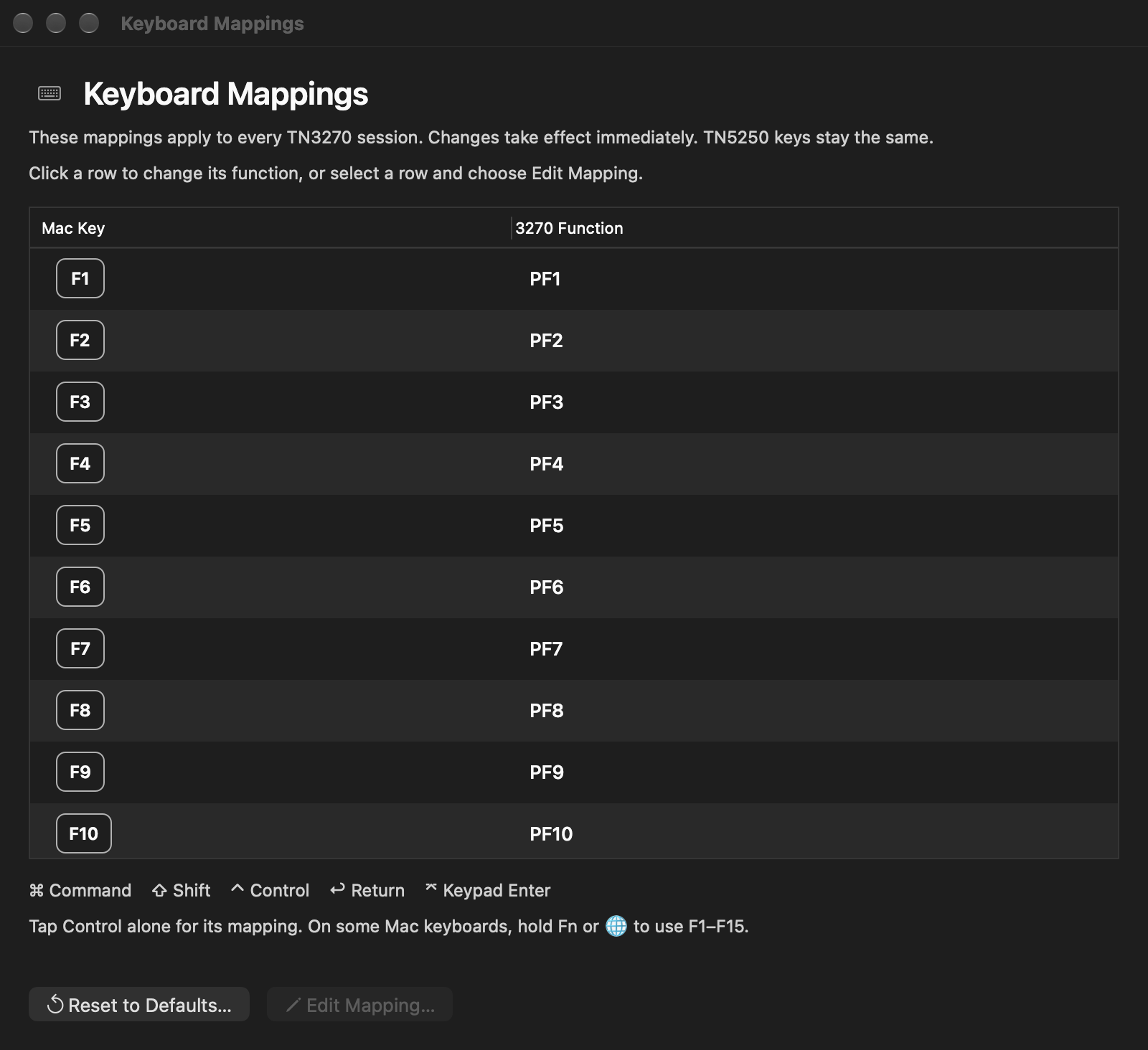
Capture a screen or selection, prepare printed output, and record a demonstration. Keep the results alongside your notes.
Screenshots and output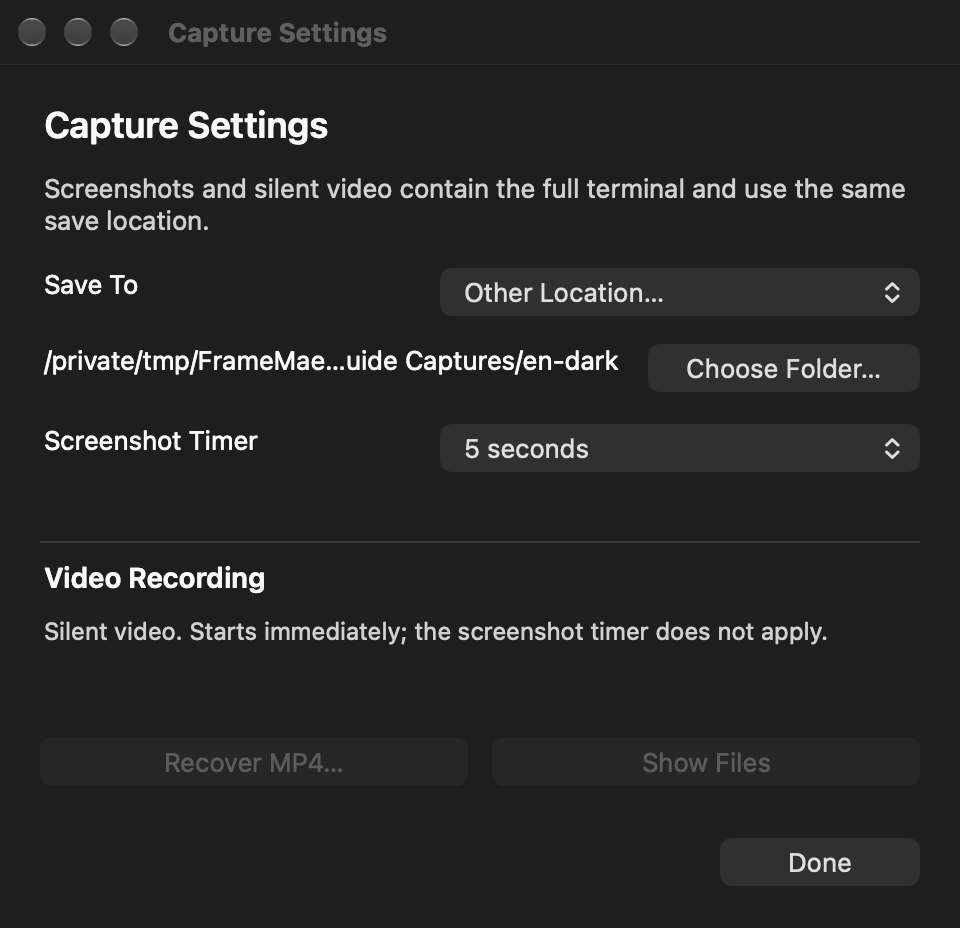
A GUIDE THAT GOES WITH YOU
Practical chapters, clear screenshots, and a searchable reference. Read in English or Spanish, on the web or right inside the app.
Open the user guide
FrameMaestro
Terminal
Download the free FrameMaestro Terminal for Mac, and make your first connection.
Download for Mac ↓